KB
Flexible knowledge sources
Import PDF, Word, modern and legacy Excel or PowerPoint, CSV, text, websites, Google Docs, and SharePoint content.
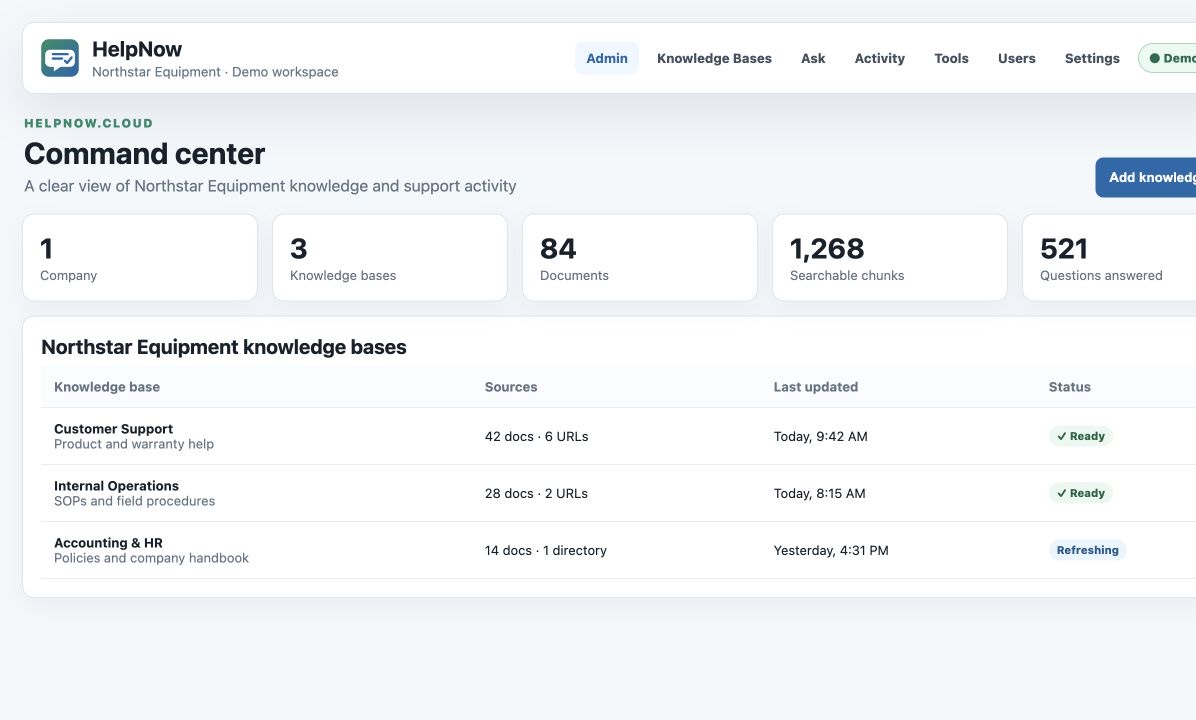
HelpNow turns your documents, SOPs, handbooks, policies, and connected knowledge into clear, cited answers for employees, customers, and support teams.
Bring uploaded files, Google Docs, SharePoint, and approved website URL crawls into one knowledge base. Google Docs, SharePoint, and crawled URLs can refresh automatically on daily, weekly, or monthly schedules.

Control what the assistant knows, verify how it was extracted, and choose where answers appear.
Import PDF, Word, modern and legacy Excel or PowerPoint, CSV, text, websites, Google Docs, and SharePoint content.
Analyze documents or a public URL before import. Preview extraction, OCR, chunks, readiness, and test answers first.
Use Anthropic, OpenAI, OpenRouter, Ollama, or Rapid MLX at company, folder, and phone-line level.
Recognize caller questions while they speak, surface cited answers quickly, and filter every phone question in Activity.
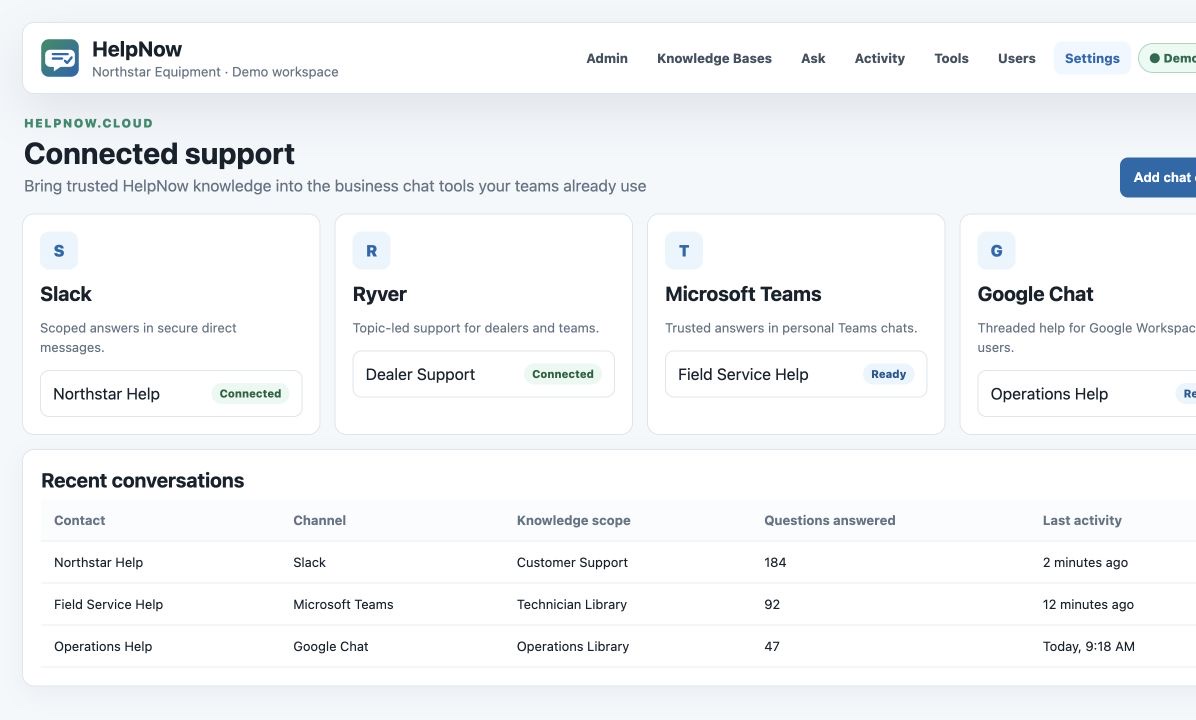
Deliver folder-scoped answers in Slack, Ryver, Microsoft Teams, and Google Chat direct conversations.
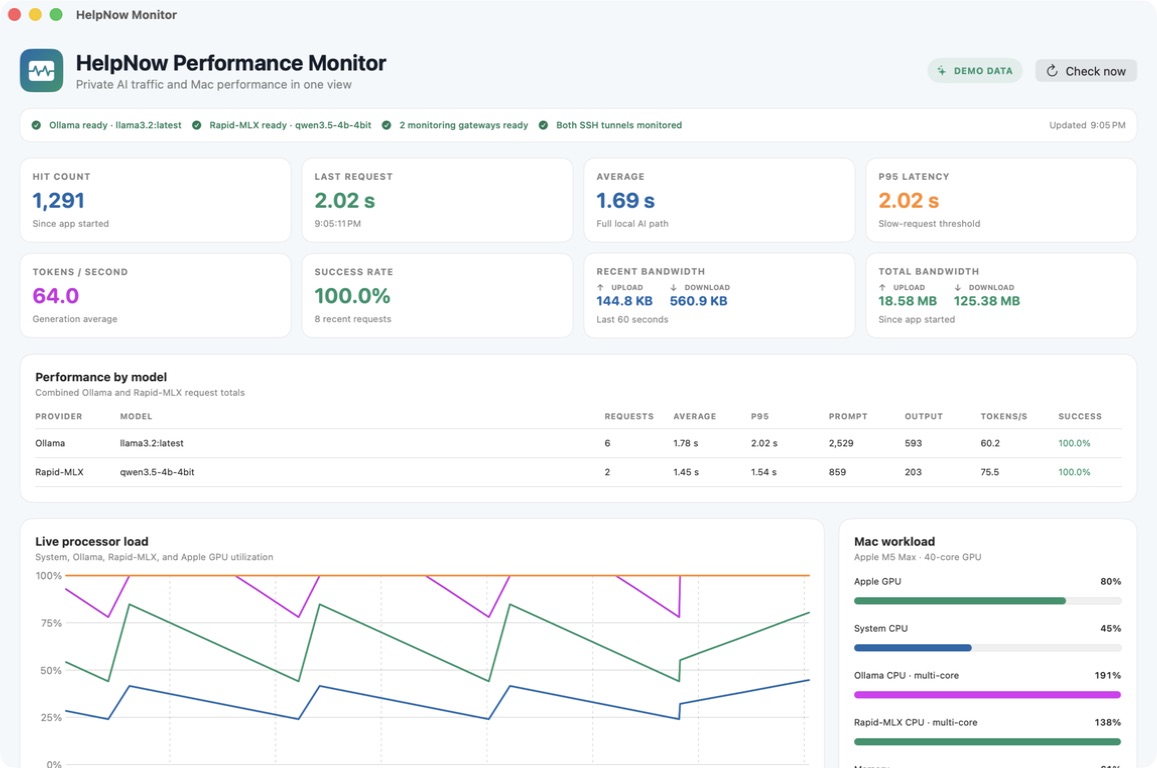
Watch Ollama and Rapid MLX traffic from a native Mac app, with a hit count that increases for every captured query, recent upload and download bandwidth in KB, session totals in MB, latency, prompt and output tokens, token speed, success rate, and per-model results alongside CPU, GPU, memory, thermal, gateway, and SSH-tunnel health.
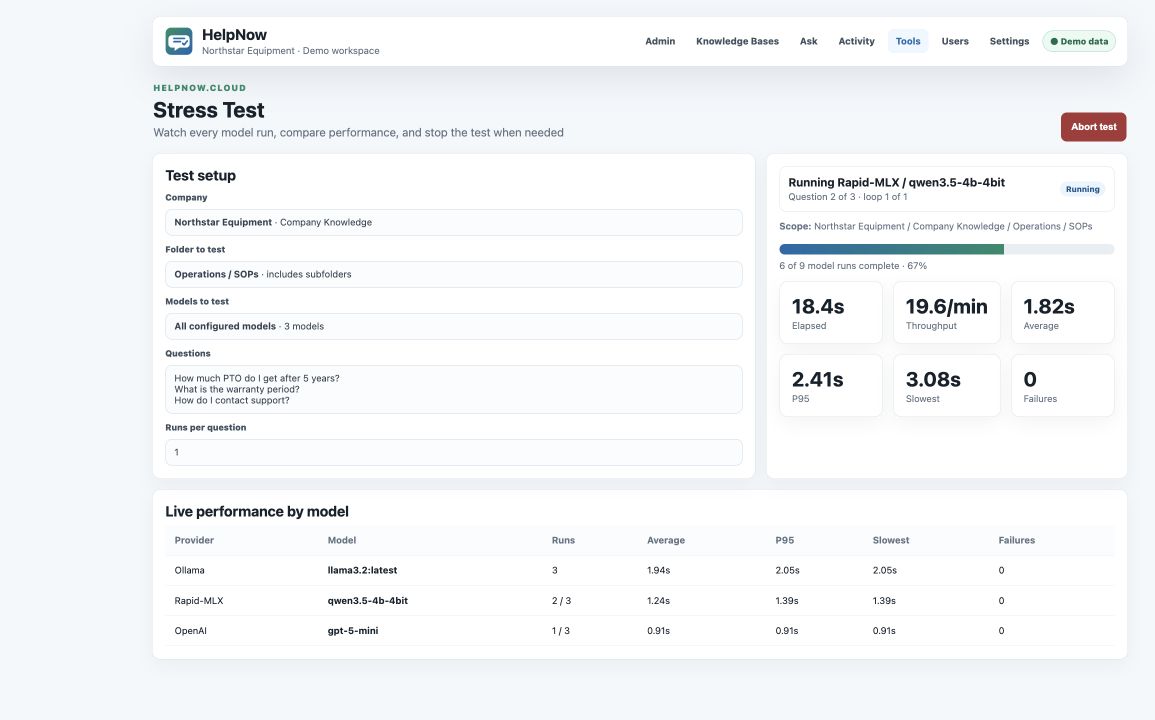
Choose a company and folder, then test all configured AI models or one selected model with live progress, throughput, latency, failure, and per-model statistics. Abort a test while it runs.
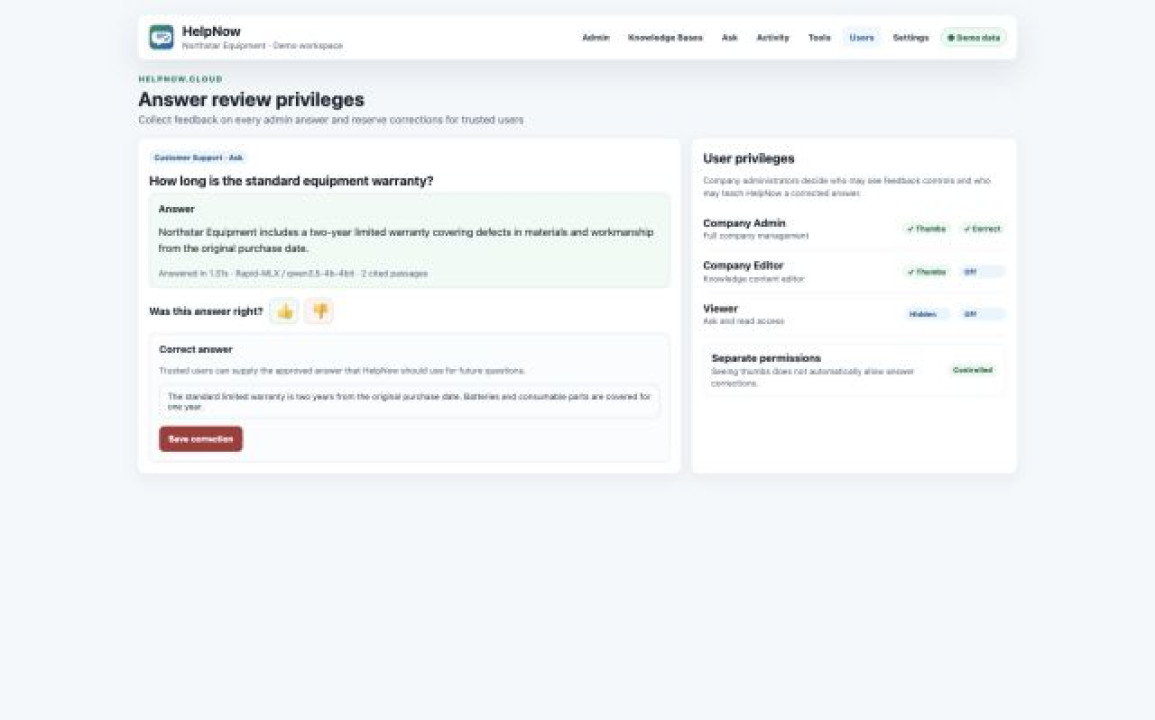
Put thumbs up, thumbs down, and correction controls on every admin answer, then decide which users may review feedback or teach HelpNow the correct answer.
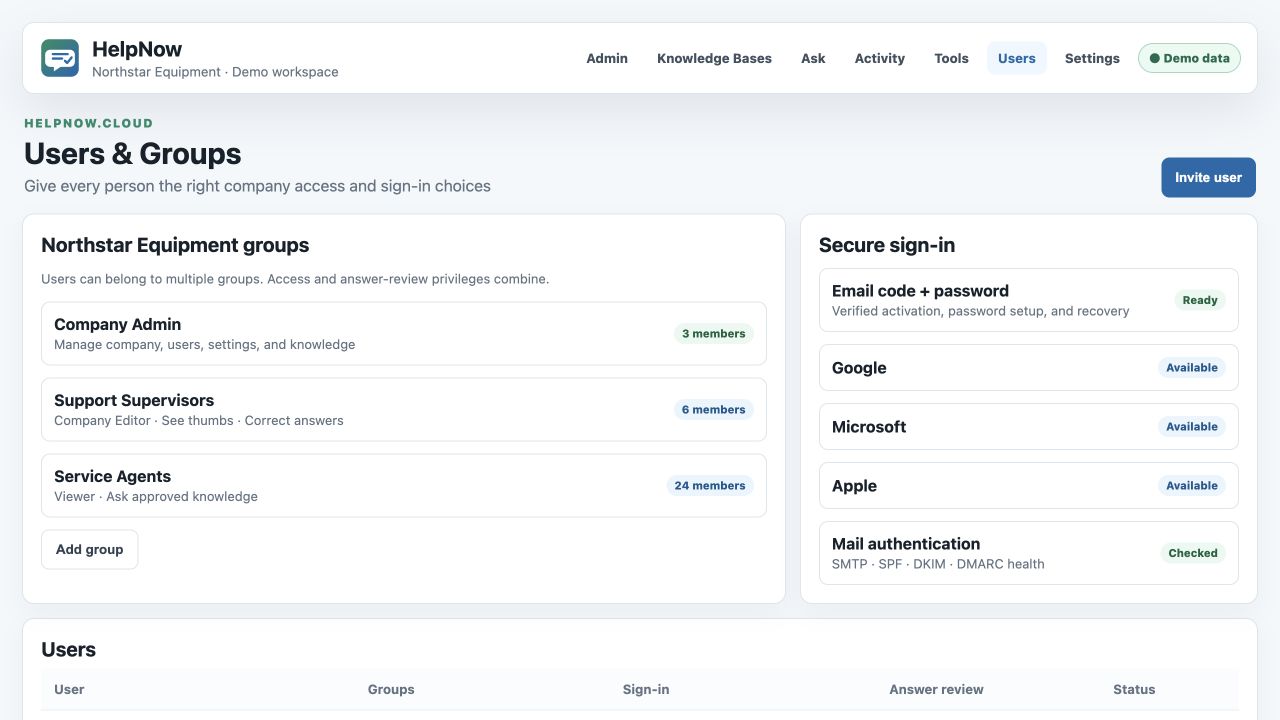
Create company groups, combine memberships and privileges, invite users, and offer verified email codes, standard passwords, Google, Microsoft, or Apple sign-in. Monitor SMTP, SPF, DKIM, and DMARC readiness from the admin.
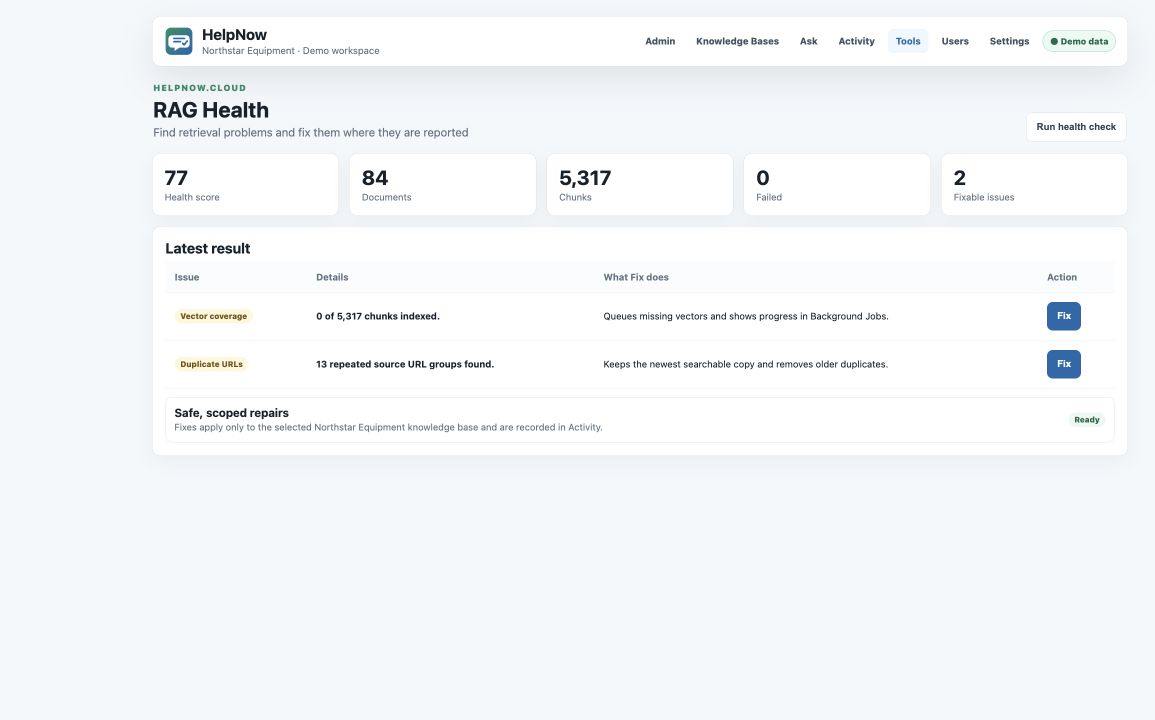
Find missing vector coverage and duplicate source URLs, then fix each issue directly from the health report.
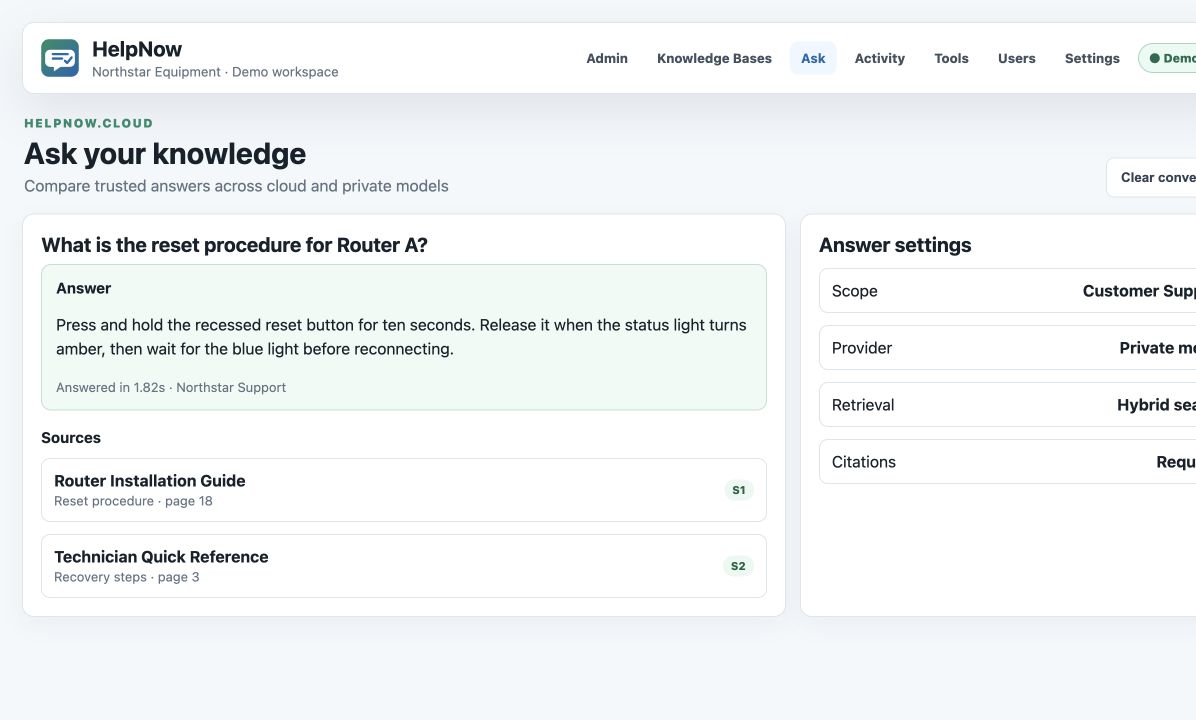
Ground responses in the right documents and expose the source passages that support them.
Crawl approved websites and keep the knowledge base current automatically with daily, weekly, or monthly refresh schedules.
Separate companies, assign roles, organize folders, and limit each experience to approved knowledge.
Help employees get grounded answers from the internal knowledge they already rely on, with the right scope and privacy for each department.
Ask for the approved process, required steps, or escalation path and receive a direct answer with citations.
Help employees find policy answers on time off, expenses, benefits, conduct, and workplace procedures.
Answer questions from accounting policies, controls, close procedures, and approved financial documents using local AI.
Every screen below uses HelpNow’s synthetic demo mode. No customer data appears in these captures.
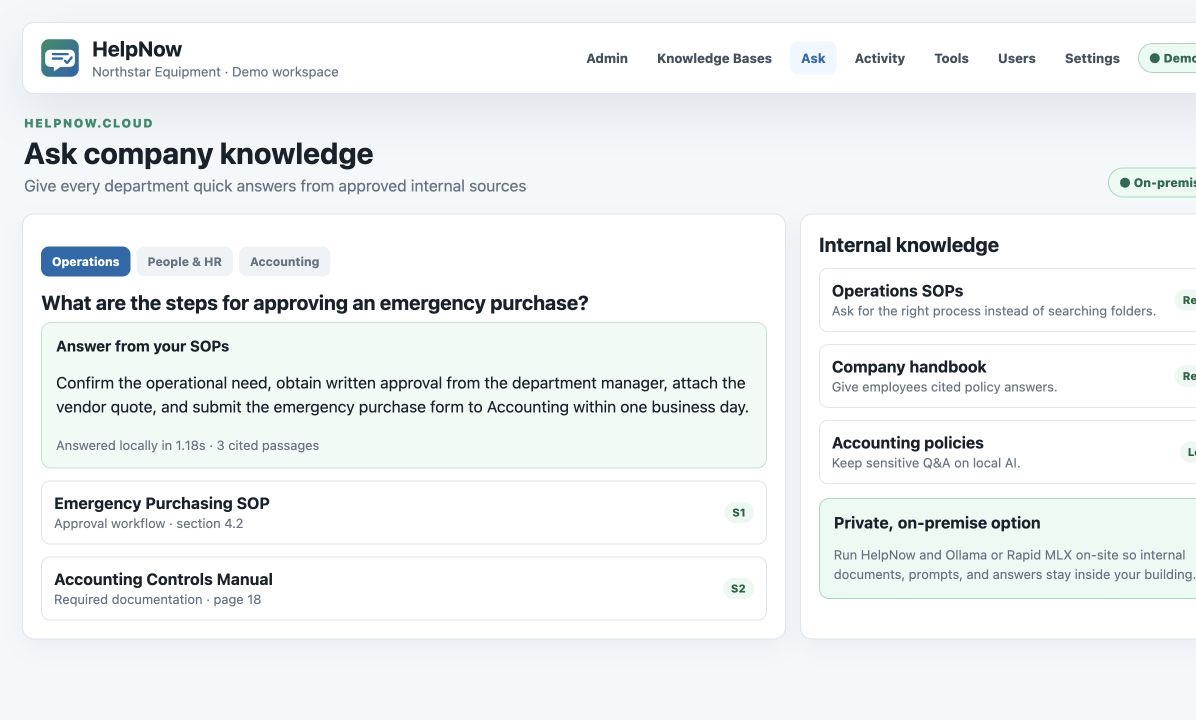
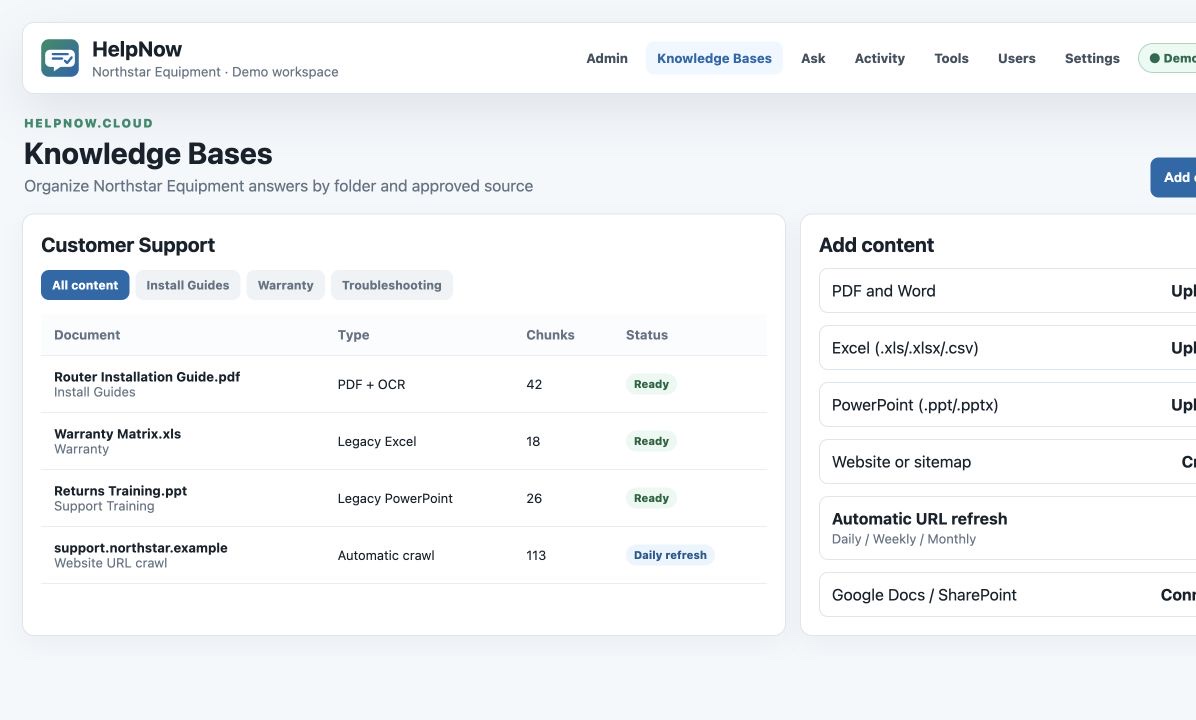
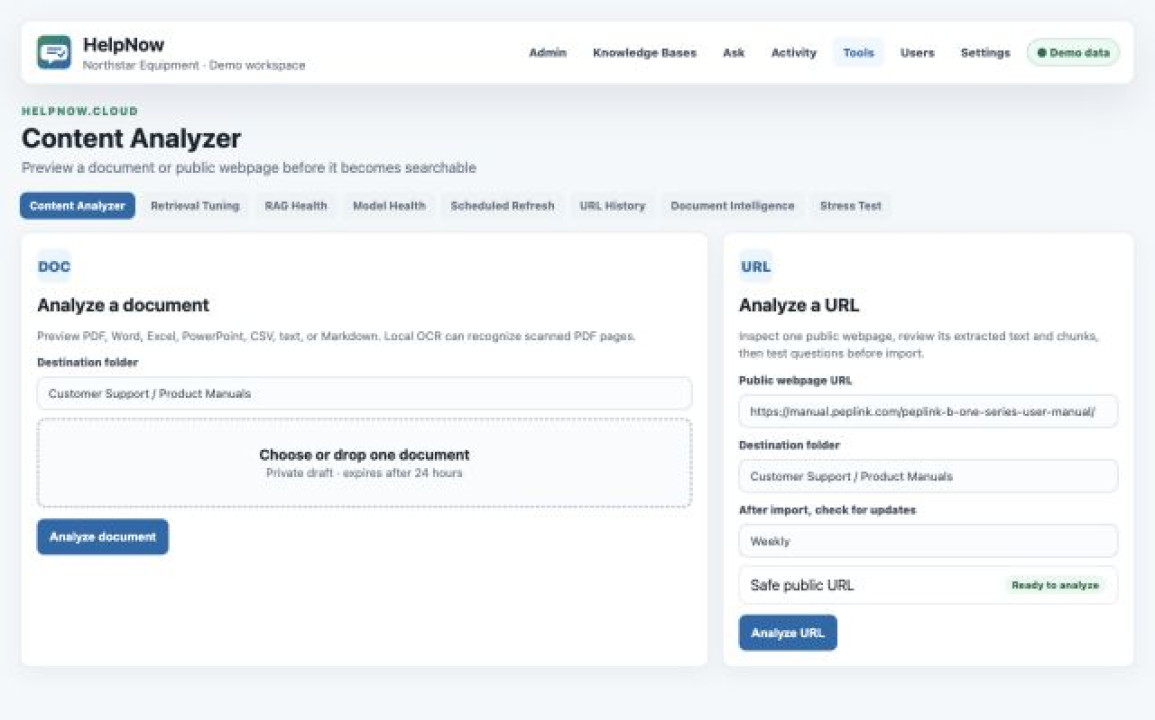
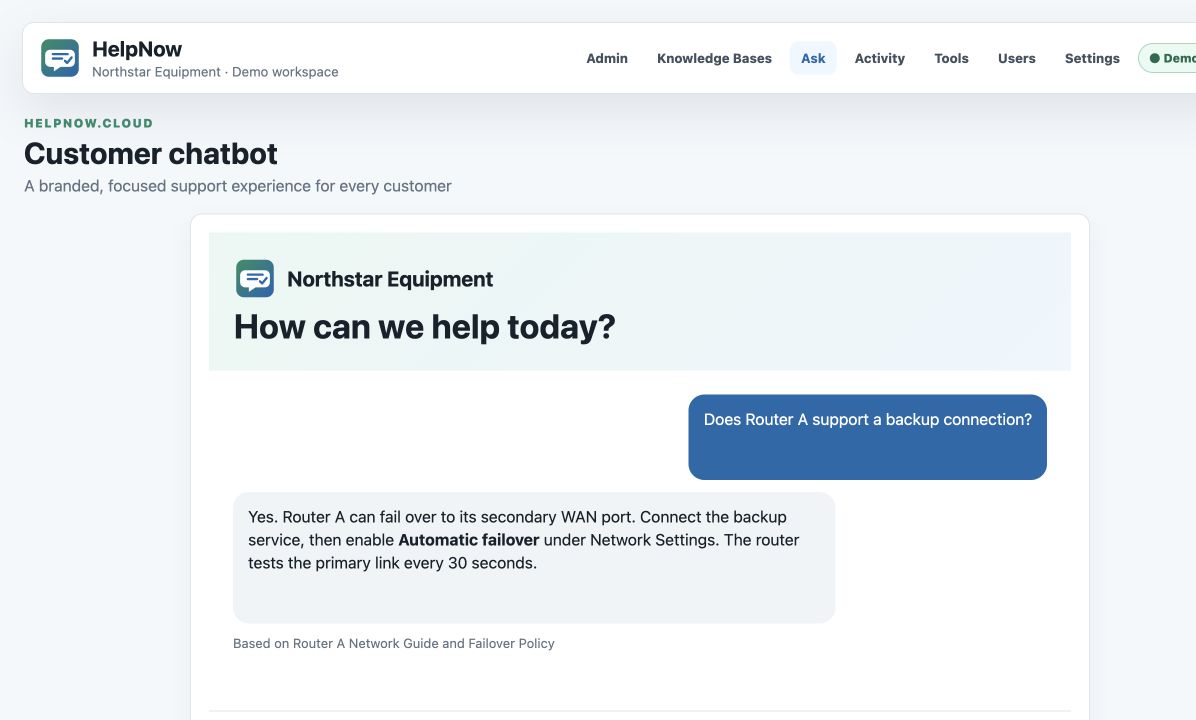
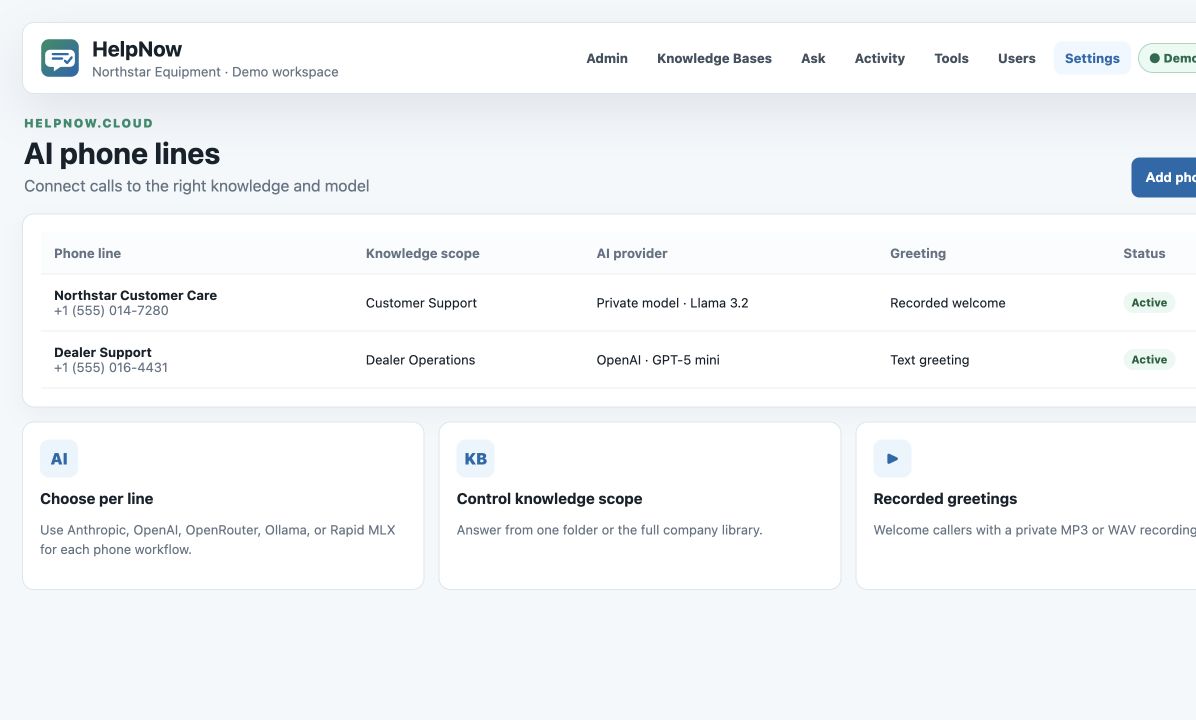
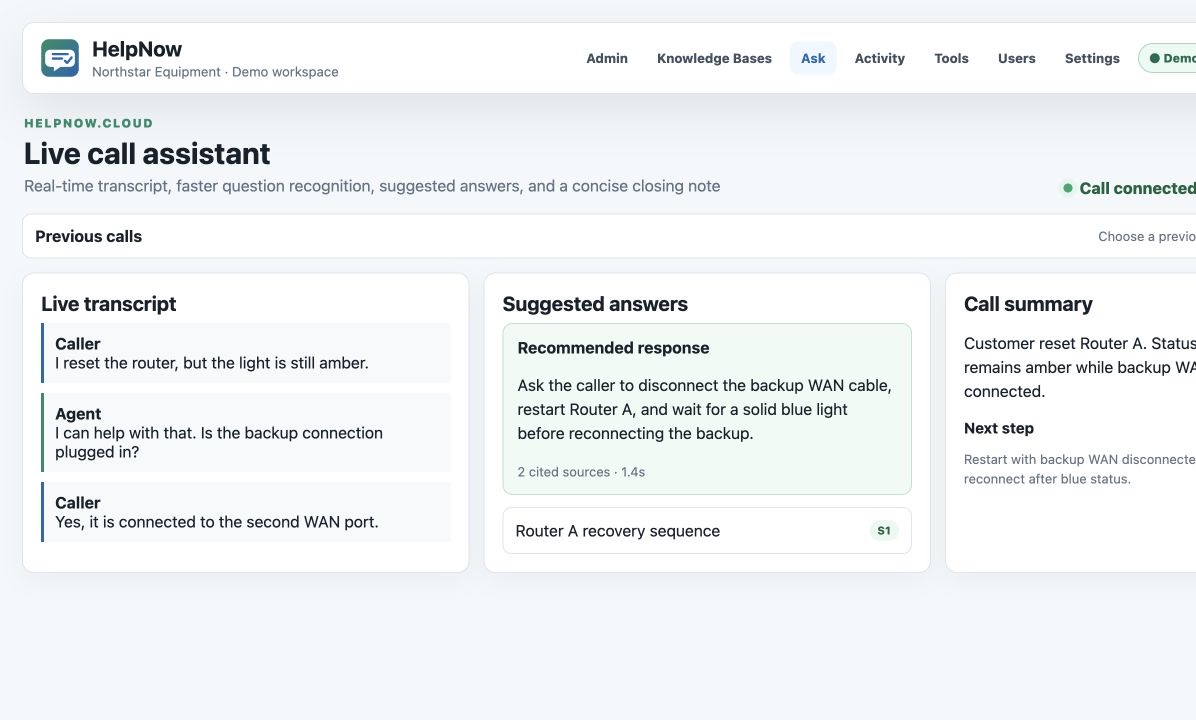
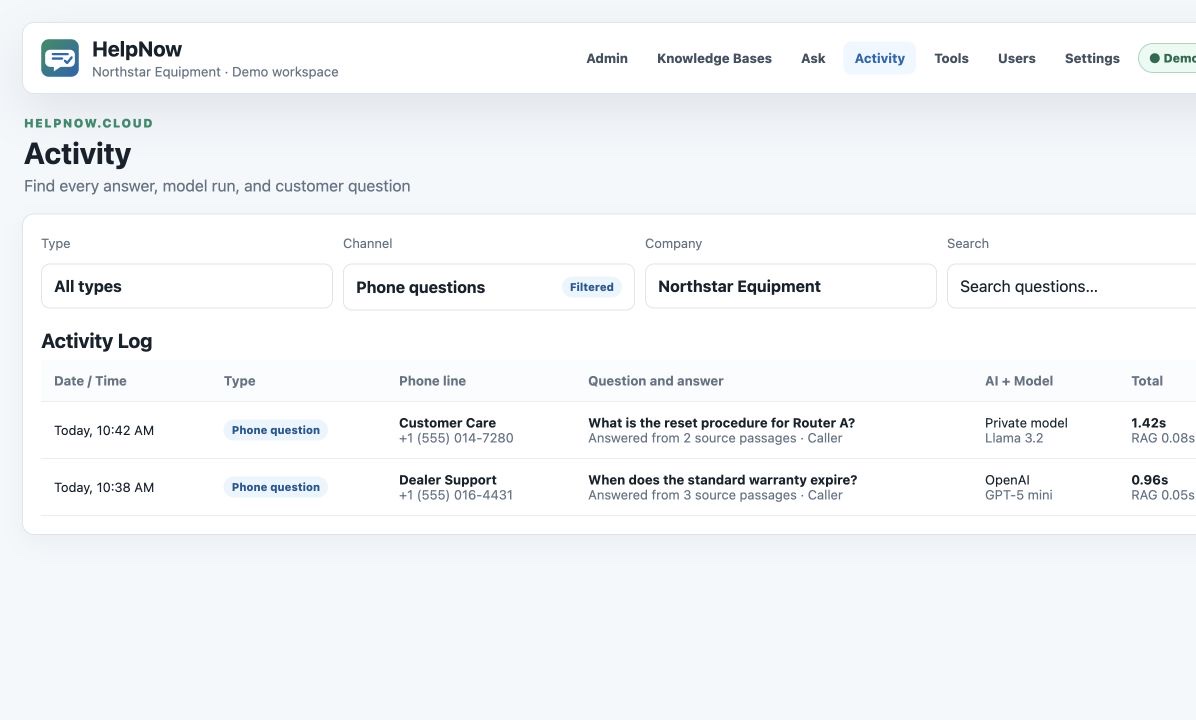
HelpNow keeps the same approved source material behind each customer and employee touchpoint.
Bring your support knowledge together, keep it under control, and make it useful wherever your customers and teams need it.
We’re putting the finishing touches on the guided demo experience. Please check back soon.